⇦ Back
WDX-180
Web Development X
The aim of this skill test is to assess whether you understand how to style HTML tables in CSS.
Task
In the lesson on styling tables we styled up a table in a rather garish manner. In this task, we are going to style the same table, but using some good practices for table design as outlined in the external article Web Typography: designing tables to be read not looked at.
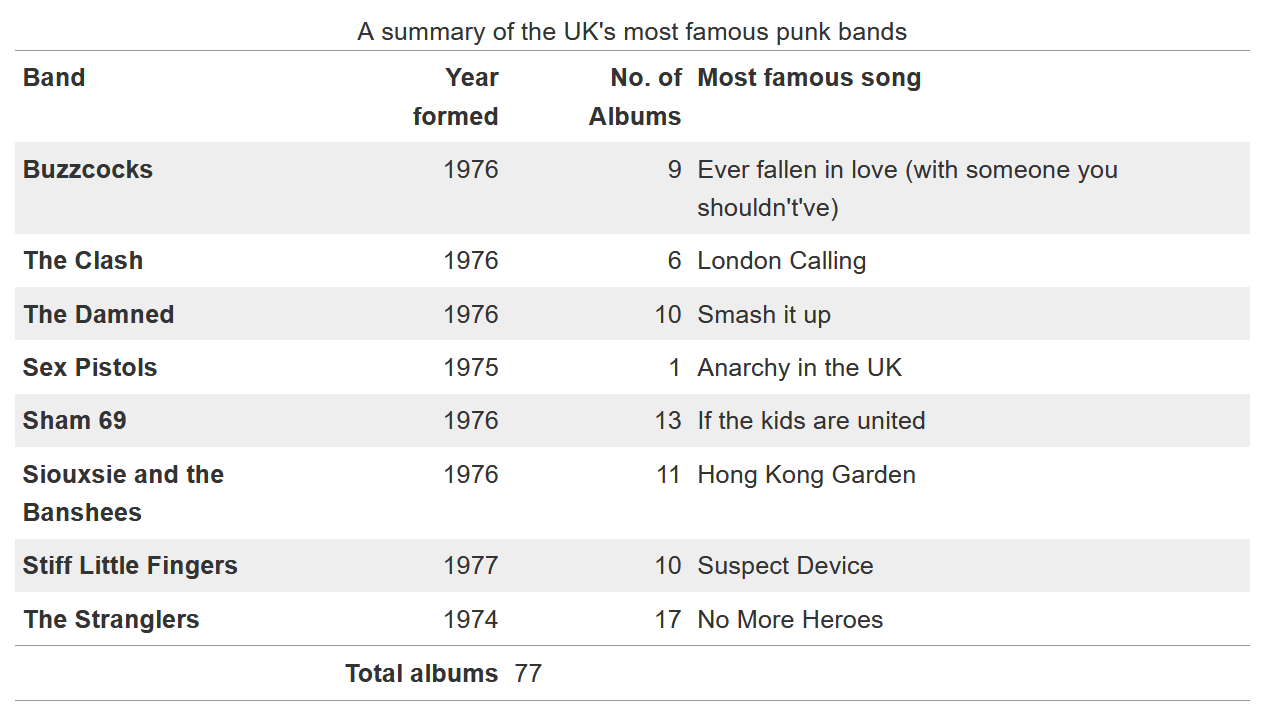
Our finished table will look like the image below. There are a number of ways that you can achieve this, but we suggest you follow similar patterns as used in the tutorial to do the following things:
- Add padding of
0.3emto the table headings and data and align them at the top of their cells. - Align headings and data for columns containing numbers right.
- Align headings and data for columns containing text left.
- Add a 1px top and bottom solid border with the hex color
#999, plus a 1px solid border of the same color above the footer. - Remove the default spacing between the table elements borders to get the expected result.
- Stripe every odd row of the main table with the hex color
#eee.
Additional question:
- What can you do to make the table layout behave a bit more predictably? Think of how table columns are sized by default and how we can change this behavior to size the columns according to the width of their headings.
Callout:
Download the starting point for this task to work in your own editor or in an online editor.
Project maintained by in-tech-gration
Hosted on GitHub Pages — Theme by mattgraham